

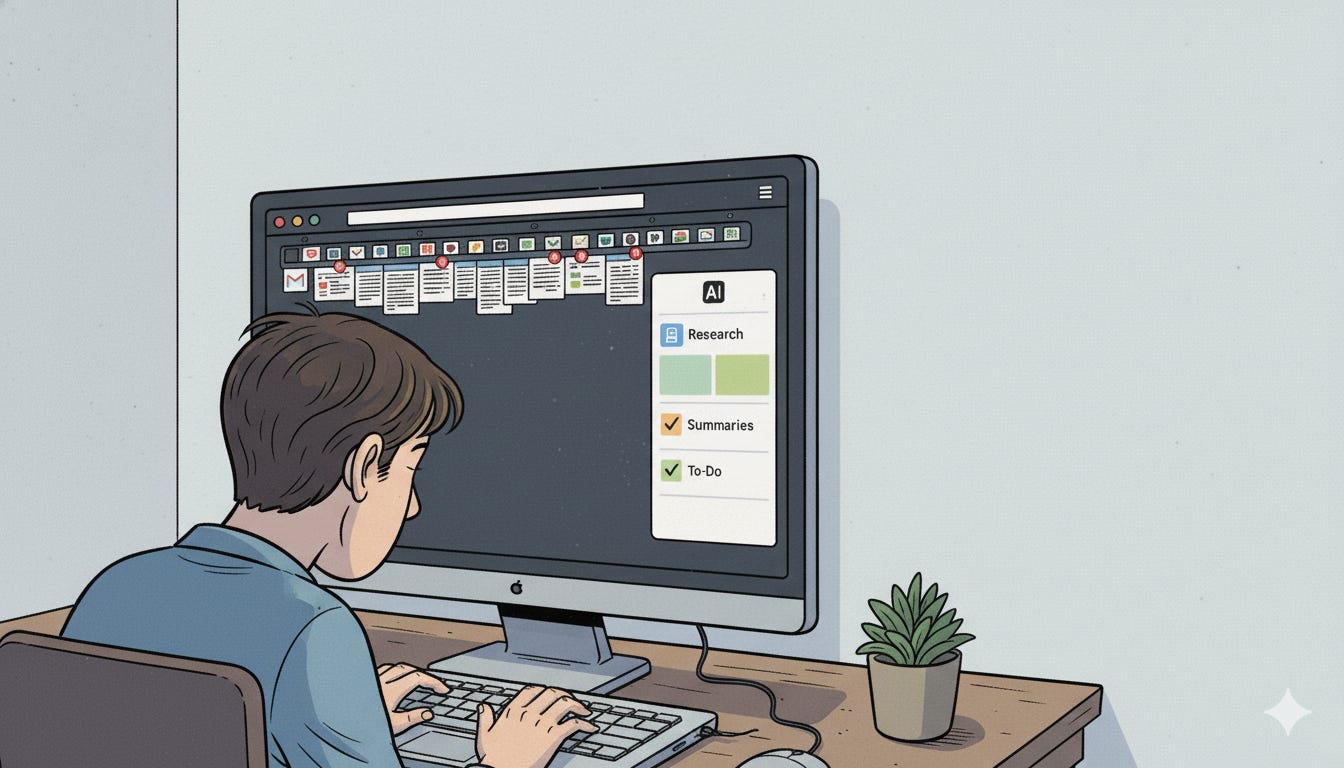
I’m three hours into researching AI’s impact on the games industry.
I have 17 tabs open.
Maybe 23.
I lost count somewhere around tab 9 when I fell down a rabbit hole about procedural generation and ended up reading a Unity forum thread from 2019 that I’m pretty sure I’ve read before but I can’t remember where I saved it.
Or if I saved it.
(Spoiler: I didn’t save it.)
One tab has the exact article I need. I know it does. I saw it 40 minutes ago.
But which tab?
I start clicking through them one by one. Chrome is making that fan noise. You know the one. The “your laptop is about to achieve liftoff” noise.
Tab 7: Reddit thread about AI art. Not it.
Tab 8: Industry analysis piece. Maybe? No, different one.
Tab 9: Why is there a recipe for banana bread open?
I give up and Google the same thing again.
Which opens tab 24.
This is my life when I’m trying to understand anything deeply.
Yours too, probably.
We’re drowning in information but we can’t find the one thing we actually need. We bookmark articles we’ll never read again. We have folders inside folders inside folders of “research” that we’ve completely forgotten about.
And don’t even get me started on trying to remember what I read about six months ago when I was looking into the same topic.
“Didn’t I already research this? I know I saved something about... what was it called again?”
Traditional browsers weren’t built for this.
They were built for browsing.
Not for thinking. Not for connecting. Not for the messy, nonlinear, chaotic way we actually learn and explore things.
Enter Comet Browser by Perplexity.
I know, I know.
Another AI tool promising to revolutionize your workflow.
I’m skeptical too.
I’ve tried the AI assistants. The note-taking apps with AI features. The productivity tools that promise to “enhance your thinking” but mostly just add another app to manage.
Comet is different.
Not because it’s magical.
But because it actually understands something fundamental: we live in our browsers. We research there. We get distracted there. We have 47 tabs open there.
What if your browser actually... helped?
Not by doing your thinking for you.
Not by replacing your process.
But by remembering things you’ve forgotten. Connecting things you haven’t connected. Organizing the chaos while you’re still in the middle of it.
Yeah.
Let me show you what I mean.
What Comet Actually Does (Without the Marketing BS)
Comet is a browser.
But it’s a browser that’s been rebuilt from the ground up with AI woven into everything.
Not tacked on. Not a sidebar you ignore. Not a chatbot that pops up and asks if you need help like an overeager retail employee.
The AI is just... there.
Watching.
Learning.
Helping when you need it.
And here’s the thing about ADHD brains and research: we’re really fucking good at making connections. Pattern recognition. Seeing how things fit together.
What we’re terrible at? Remembering where we saw those things. Organizing them. Following up on that brilliant insight we had three days ago.
Comet gets this.
It’s like having a second brain that doesn’t get distracted by shiny objects.
The Features That Actually Matter
Look, I could give you the full feature list.
But you don’t care about features. You care about what you can actually do with this thing.
So here’s what’s changed since I started using Comet:
Context-aware assistance that doesn’t suck
You’re reading an article. You want to know more about something specific.
Instead of opening a new tab, Googling it, getting distracted by three other things, and losing your place?
You just ask Comet. Right there. In the page.

It gives you an answer based on what you’re already looking at.
Then you keep reading.
That’s it.
No context-switching. No tab explosion. No “wait, what was I doing again?”
(This alone is worth it for ADHD brains.)
It organizes your chaos automatically
Remember those 23 tabs?
Comet groups them.
By project. By theme. By whatever pattern it notices in what you’re researching.
I didn’t ask it to do this. It just... does it.
And yeah, sometimes it gets it wrong. But most of the time? It’s grouping things in ways that make me go “oh shit, yeah, those are related.”
Connections I wouldn’t have made because I was too busy drowning in tabs to see the pattern.
Content discovery for your past self
Here’s where it gets interesting.
Comet can surface stuff you’ve already read. Articles you bookmarked six months ago and completely forgot about.
But more than that, it can identify gaps.
“You’ve researched A and B extensively. But you haven’t looked into C, which connects them.”
This is the ADHD superpower amplified. Our brains love finding connections. Comet just helps us remember all the pieces we collected while we were distracted by something shiny.
Automation that doesn’t feel like automation
Copy all the links from this page. Extract the key quotes. Organize these articles by theme.
One click.
No “let me just quickly...” that turns into 45 minutes of manual work.
It just does the tedious shit so you can do the interesting shit.
And it doesn’t fuck with your existing workflow.
This is crucial.
I still use Notion. I still use Google Docs. I still have my systems.
Comet doesn’t try to replace them.
It just makes the research and organization part faster. Cleaner. Less likely to spiral into procrastination hell.
A Real Example (From Yesterday)
I was researching accessibility patterns for console interfaces.
Started with one article about controller button mapping standards. Got interested in how different cultures interact with menu systems differently. Found a case study about right-to-left language layouts in console games. Clicked through to a design system that handled both. Saw they mentioned a study about cognitive load in onboarding flows.
You know how this goes.
By the time I looked up, I had 15 tabs open and I’d lost track of what I was originally looking for.
But here’s what happened:
Comet had quietly grouped my tabs into three clusters: Accessibility Standards, Cultural Design Patterns, and Onboarding UX.
The case study I needed? It was in the Cultural Design Patterns group.
But more interesting, it had flagged two articles in the Onboarding UX group that I’d skimmed past as “related to your search on dark patterns from last week.”
Holy shit.
I’d completely forgotten I was researching dark patterns last week. And yeah, there’s absolutely a connection between manipulative onboarding flows and accessibility… when you reduce cognitive load ethically vs. when you do it to push people through a flow faster.
That’s the kind of pattern recognition my ADHD brain is good at (when I can actually remember all the pieces).
Comet remembered them for me.
The Part Where I Tell You This Isn’t Perfect
Look, I’m not saying Comet is flawless.
Sometimes it groups things weird. Sometimes the AI assistant gives me an answer that’s close but not quite what I needed.
And there’s the whole privacy thing. You’re letting an AI watch everything you browse. If you’re researching sensitive stuff, that matters.
(I’ll talk about that more later.)
But here’s what I am saying:
For the first time in my adult life, my browser feels like it’s working with my brain instead of against it.
The tab chaos? Still happens. But it’s manageable chaos now.
The “I know I read something about this somewhere” frustration? Mostly gone.
The feeling of drowning in information while simultaneously unable to find what I need?
Yeah. That’s better.
How to Actually Get Started
Look, I’m not going to give you a 47-step tutorial.
You download it. You use it. That’s it.
But here’s what actually helped me in the first week:
Start with the side panel
That’s where the AI assistant lives. Ask it questions about what you’re reading. Let it summarize dense articles. Use it to clarify concepts you’re fuzzy on.
Don’t overthink it. Just use it like you’d use a really smart colleague who’s been reading over your shoulder.
Let it organize your tabs
Don’t manually create groups. Just browse normally and let Comet watch. After a few hours, check the groupings it’s made.
Some will be obvious. Some will surprise you. Some will make you realize you’ve been researching the same topic from three different angles without knowing it.
Ask it to surface old research
“What have I read about accessibility in the past month?”
“Show me everything related to dark patterns.”
This is where it gets scary-good. Your ADHD brain collected all these pieces. Comet helps you see what you’ve actually got.
Automate one tedious thing
Pick something you do repeatedly that makes you want to scream. Copying links. Extracting quotes. Organizing bookmarks.
Let Comet handle it. One click. Done.
You’ll find more things to automate once you realize how much time you’ve been wasting on shit that doesn’t matter.
The Real Question
Here’s what I keep coming back to:
What could you actually accomplish if your browser remembered everything you forgot?
Not in a creepy way.
In a “holy shit, I read something about this three weeks ago and now I can actually find it” way.
In a “these five things I’ve been researching separately are actually all connected” way.
In a “I can finally stop fighting my ADHD brain and let it do what it’s actually good at” way.
I spent 25 years in this industry working around my limitations.
Building systems to compensate. Setting reminders to remember. Fighting the tab chaos. Feeling like I was always one step behind because I couldn’t hold all the pieces in my head at once.
Comet doesn’t fix my ADHD.
But it finally feels like I have a tool that works with how my brain actually operates.
Pattern recognition without the memory burden. Connection-making without the organizational nightmare. Deep research without drowning in tabs.
That’s not a small thing.
Want to try it?
Go to comet.com and download it. It’s free to start.
Use it for a week. Let it watch how you work. Don’t try to change your process.
Then come back and tell me if you’re still fighting your browser or if it’s finally on your side.
I’m curious what patterns it finds in your chaos.
P.S. - If you found this useful, hit that subscribe button. I write about UI/UX design, ADHD, AI disruption, and the uncomfortable stuff the games industry isn’t talking about. Sometimes all at once.
And if you try Comet, seriously, let me know what it surfaces in your research. I’m genuinely curious how it works for other designers with ADHD brains.
Couldn't agree more. The struggle of deep-diving into AI research, hitting a procedural generation rabbit hole, and then losing the original tab is infuriatingly relatable. My laptop fan often attests. How do you even begin to propery categorise or structure information when it's so fluid? You articulate this problem very insightfully.